Existing subtitles
If the video already has captions, we use them instantly. No audio processing and no cloud minutes.
Fastest · FreeAccurate live captions in your sidebar, over the video, or both. Use your computer when it can—and secure cloud transcription when it can’t.
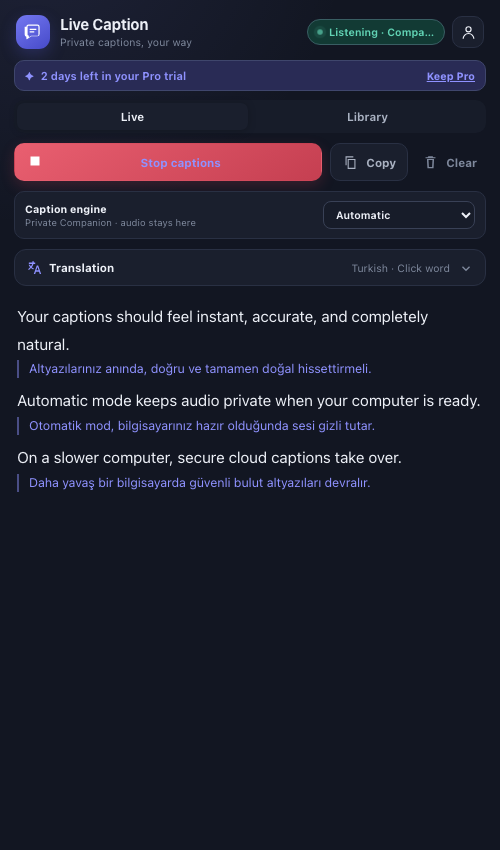
Captions for meetings, courses, streams, podcasts, and video
Audio Captions checks for existing subtitles first, then chooses the best transcription path for your computer and privacy preference.
If the video already has captions, we use them instantly. No audio processing and no cloud minutes.
Fastest · FreeLive captions appear immediately while the Companion refines the full video in the background, then improved subtitles take over automatically. Audio never leaves the device.
Live first · More accurate as it finishes · Included in ProOn a slower computer—or without the Companion—cloud speech keeps captions responsive.
Fast on any computer · MeteredYou stay in control. Choose Automatic, Private Companion, Cloud performance, or slow Browser compatibility at any time.
The first captions arrive with the conversation. In the background, the Companion works through the full video and swaps in its more accurate transcript as soon as it’s ready.
Browser compatibility mode squeezes a tiny speech model into a Chrome tab. It works without an account, but it downloads a model on first use, leans hard on your CPU, and trails the audio by seconds — so it fumbles exactly the words you opened the captions for. The Private Desktop Companion runs a full model natively, in step with the sound.
The A.P.R. returns a four hundred and one when the off token has expired.Seconds behind, and guessing. A small model on your CPU: acronyms, numerals, and rare terms are the first things it loses.
The API returns a 401 when the auth token has expired.Verbatim, in real time. A full model running natively on your computer — audio is never uploaded.
Compatibility mode is a floor, not a default. Audio Captions never selects it for you. On a slower computer the metered cloud engine reaches the same quality as the Companion — the Companion is the one that also stays private and unmetered.
Natural sentence breaks, live highlighting, click-to-translate words, and a transcript library that’s ready when the call ends.
Recorded from the extension running locally.
With the Companion selected, tab audio is processed only on your computer.
Cloud performance sends short audio chunks for transcription and meters the seconds used.
Your transcript library stays in Chrome unless you enable private account sync.
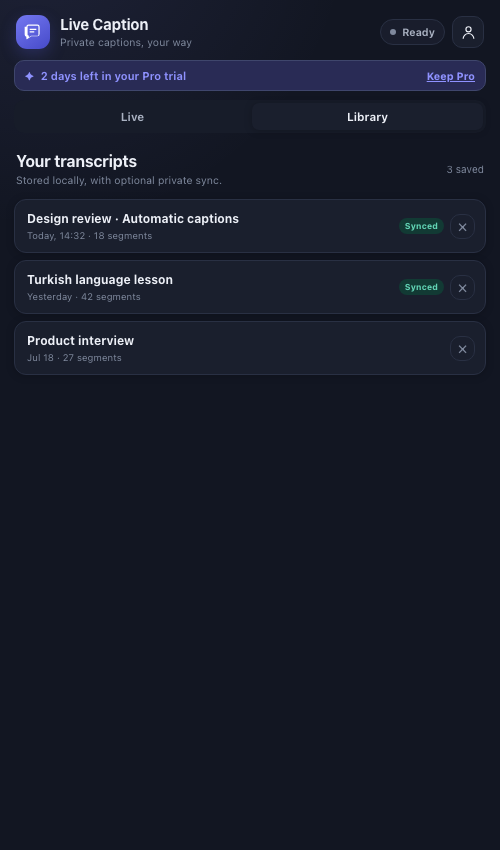
Completed sessions land in a bounded local library automatically. Sign in when you want encrypted transport, account-scoped cloud sync, and access across devices.
Both paid plans are the same product at the same accuracy. They differ in one thing: how much of the transcription runs on our servers instead of your own computer. Start free and stay free, or take one full day of Pro without a card.
No account needed to start.
Add to ChromeWhat you get
Billed monthly. Cancel anytime.
Start your free dayFull Pro access for 24 hours. No card required.
Everything in Free, plus
Needs the free desktop app: macOS 12+ (Apple silicon) or 64-bit Windows 10+. On any other computer, choose Cloud Pro.
Billed monthly. Cancel anytime.
Start your free dayThe same 24-hour trial covers both plans.
Everything in Pro, plus
Same speech accuracy as Pro. You are paying for captions on computers the desktop app can’t run on — not for a better transcript.
On-device translation runs in your browser at no cost and is unmetered on every plan, including Free. The monthly character allowance applies only to premium DeepL translation, which the trial and both paid plans include; the permanent Free plan never sends text to DeepL. Cloud caption minutes are only spent when transcription runs on our servers — captions produced by the desktop app are unlimited on both plans.
Chrome 116+ · Desktop Companion included in Pro